iRacing strategy.
How much fuel gets you to the flag, what a stop costs you, and a plan for every session and stint. All worked out from your own laps.
Fuel to
the flag.
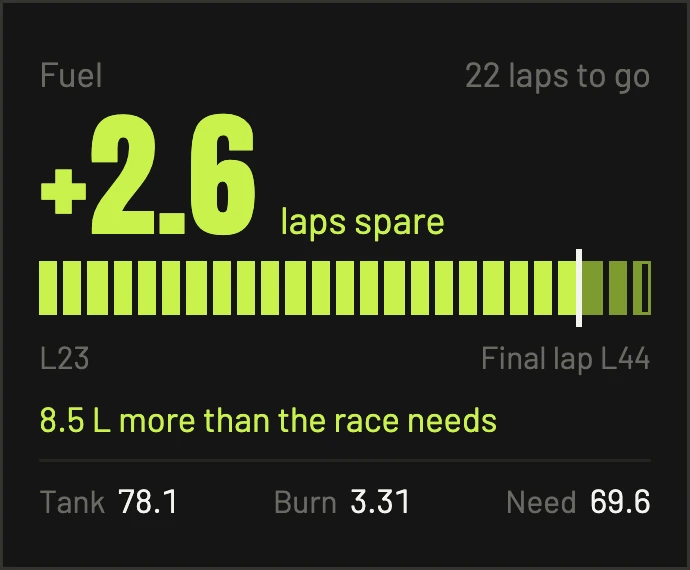
It compares laps of fuel with laps to go. It tells you if you'll make the flag and how much you've got spare, or how many litres to add. If you're only just short, it tells you how much to save per lap instead of bringing you in. In a long race it counts how many stops are left.
Timed races are counted the way iRacing ends them, when the leader finishes the lap the clock runs out on.
What a stop
really costs.
The Fuel page plans the race you're actually in, using the real race length and your car's tank.
- Whichever takes longer, fuelling or tyres. It doesn't add them together.
- It times real stops. Pit lane time and fill rate are measured from real stops, including other cars, so it can be right before you've even pitted.
- Qualifying fuel for exactly your run: out lap, however many flying laps you pick, and in lap.
Stop just
doing laps.
Tell it what you're there to do (learn the track, find a lap, race pace, test a change or do a long run) and how long you've got. It plans the whole session: every run, how many laps, and why it's in there.
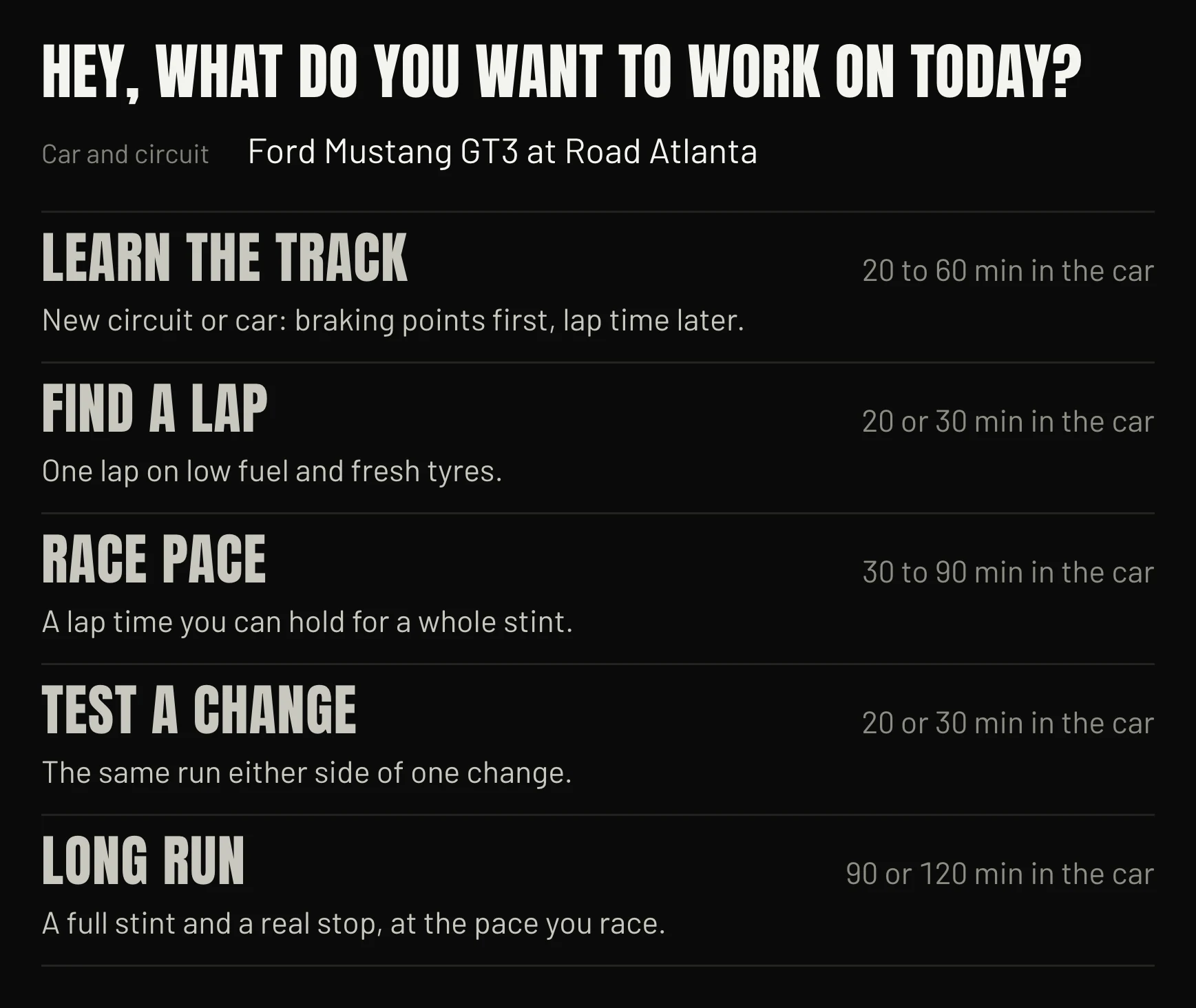
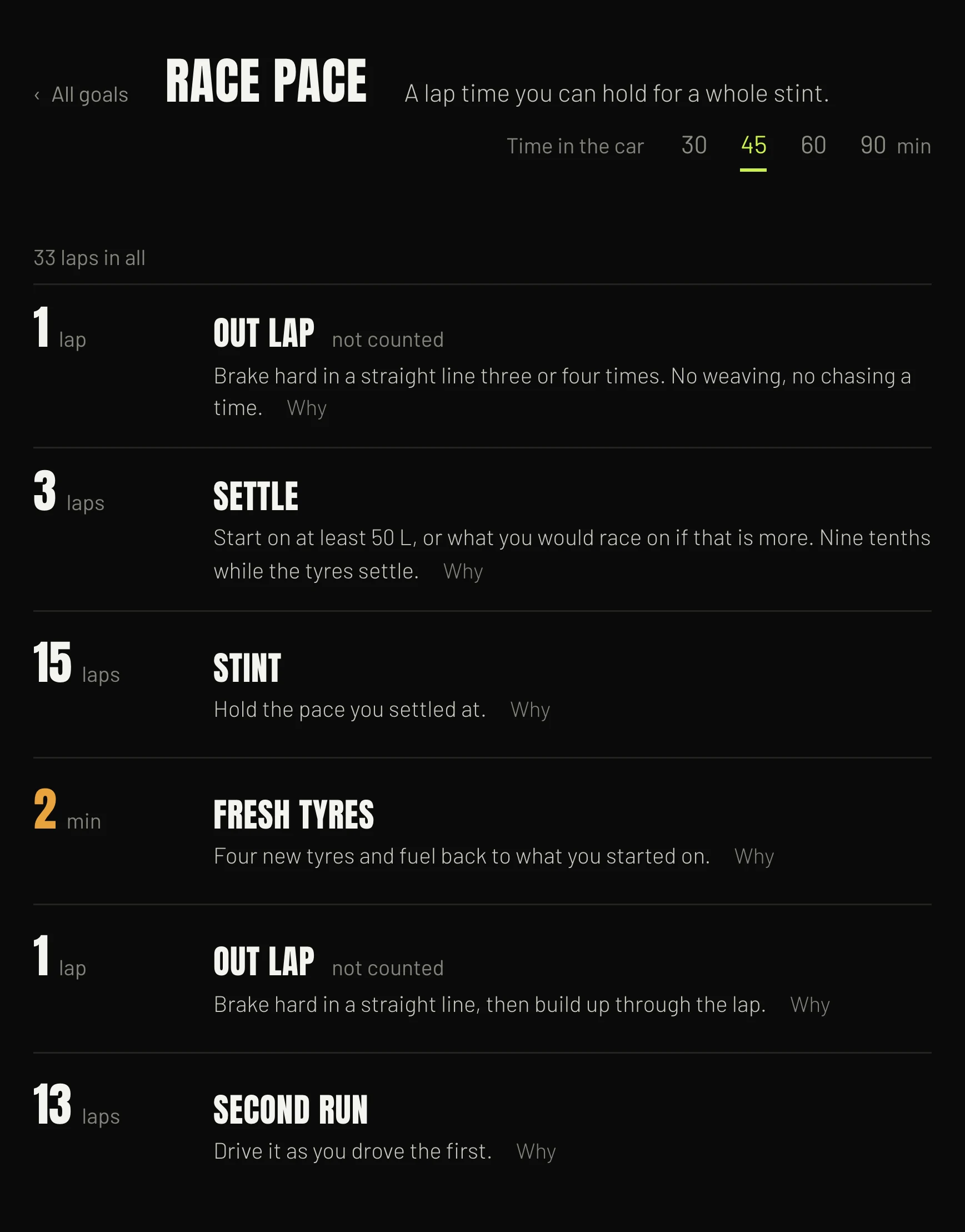
Here's the plan it made for 45 minutes of race pace at Road Atlanta.
A coach on
every lap.
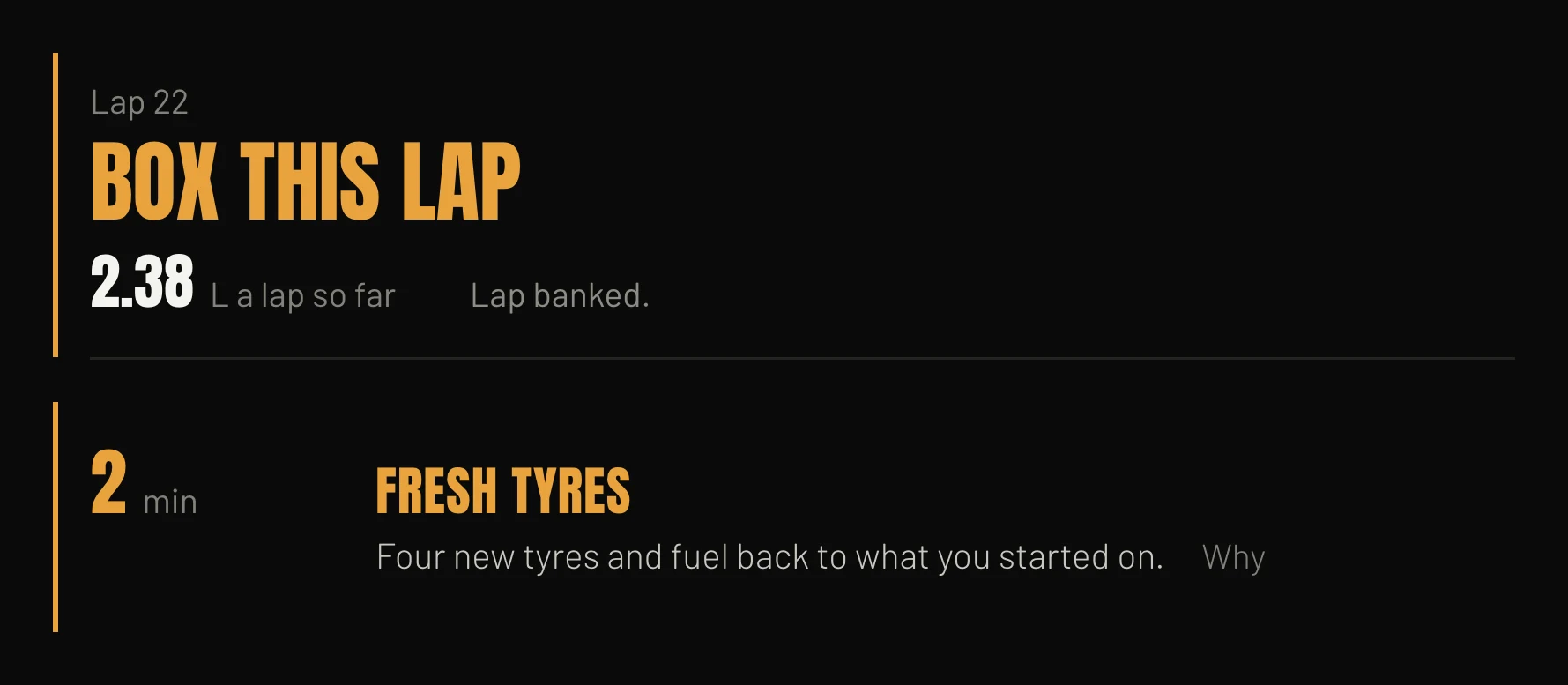
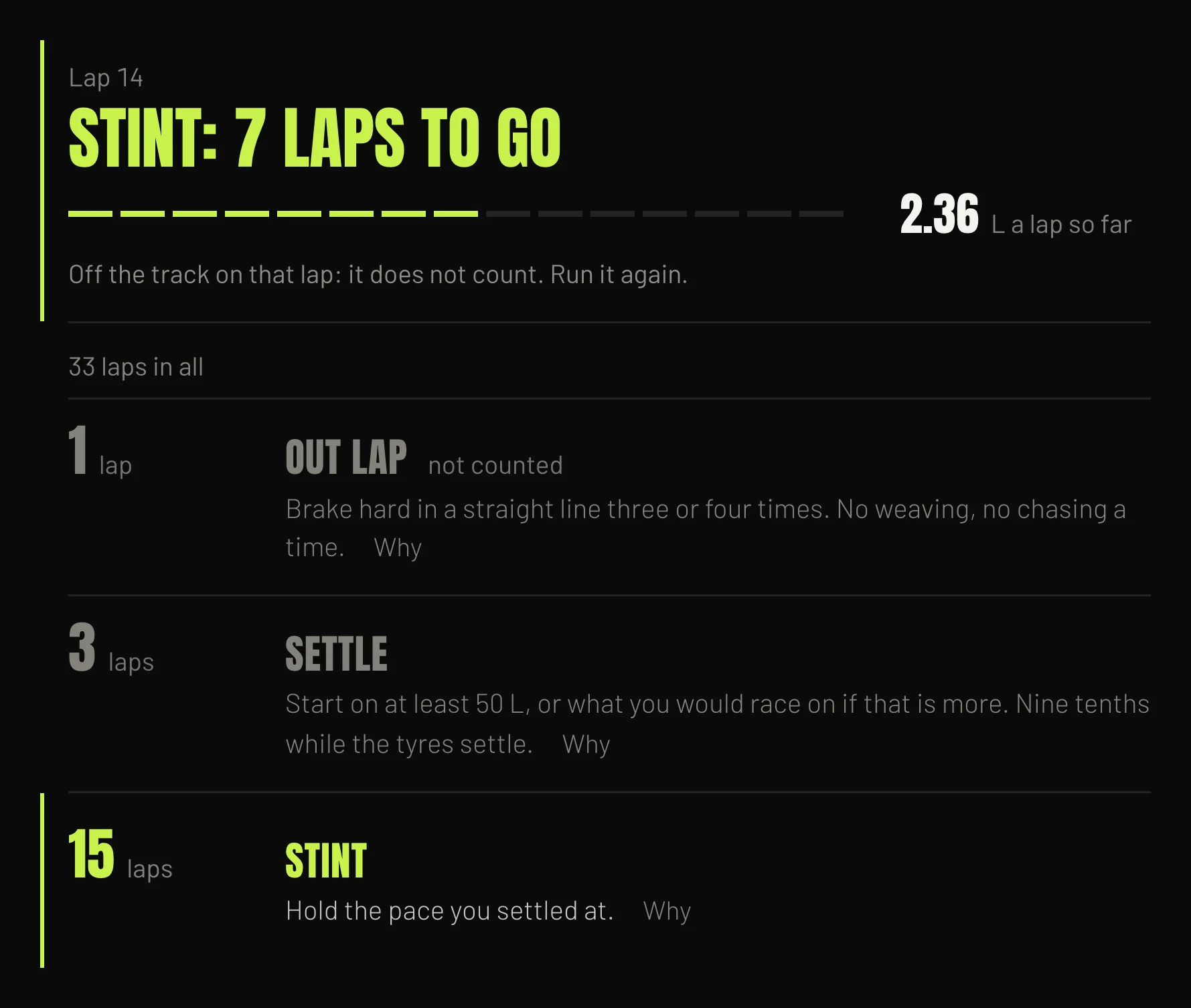
Then, while you drive, the Runs page counts each run down lap by lap and tells you when to box. Clean laps get banked. If you go off, it bins the lap and tells you to run it again, so the numbers you end up with are ones you can trust.
Stint plans for
the long ones.
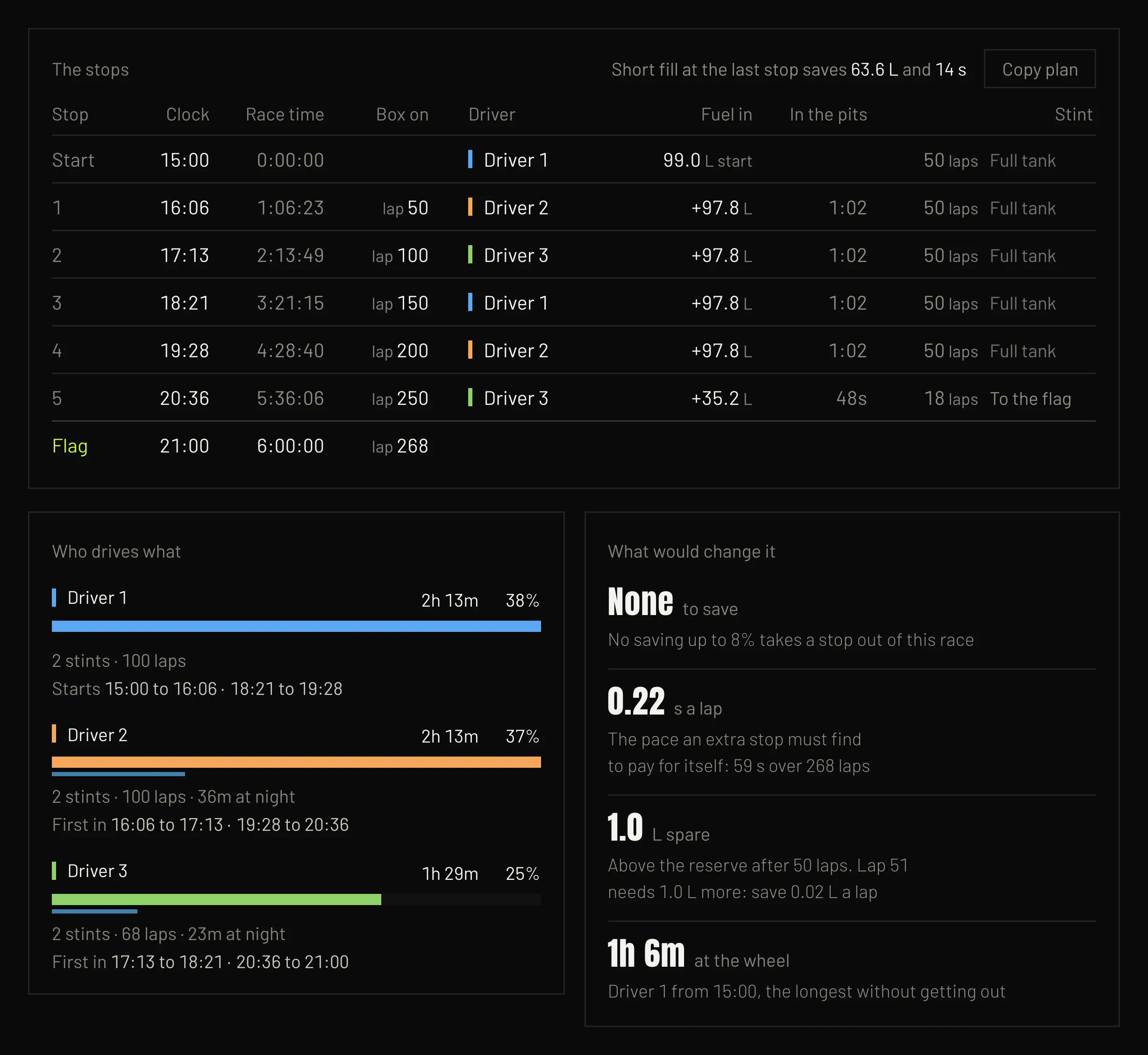
Plan an endurance race before it starts: who's driving when, what goes in at each stop, and what would save you a stop. Keep a plan for every race on your calendar, and copy the stops as plain text to send to your team.
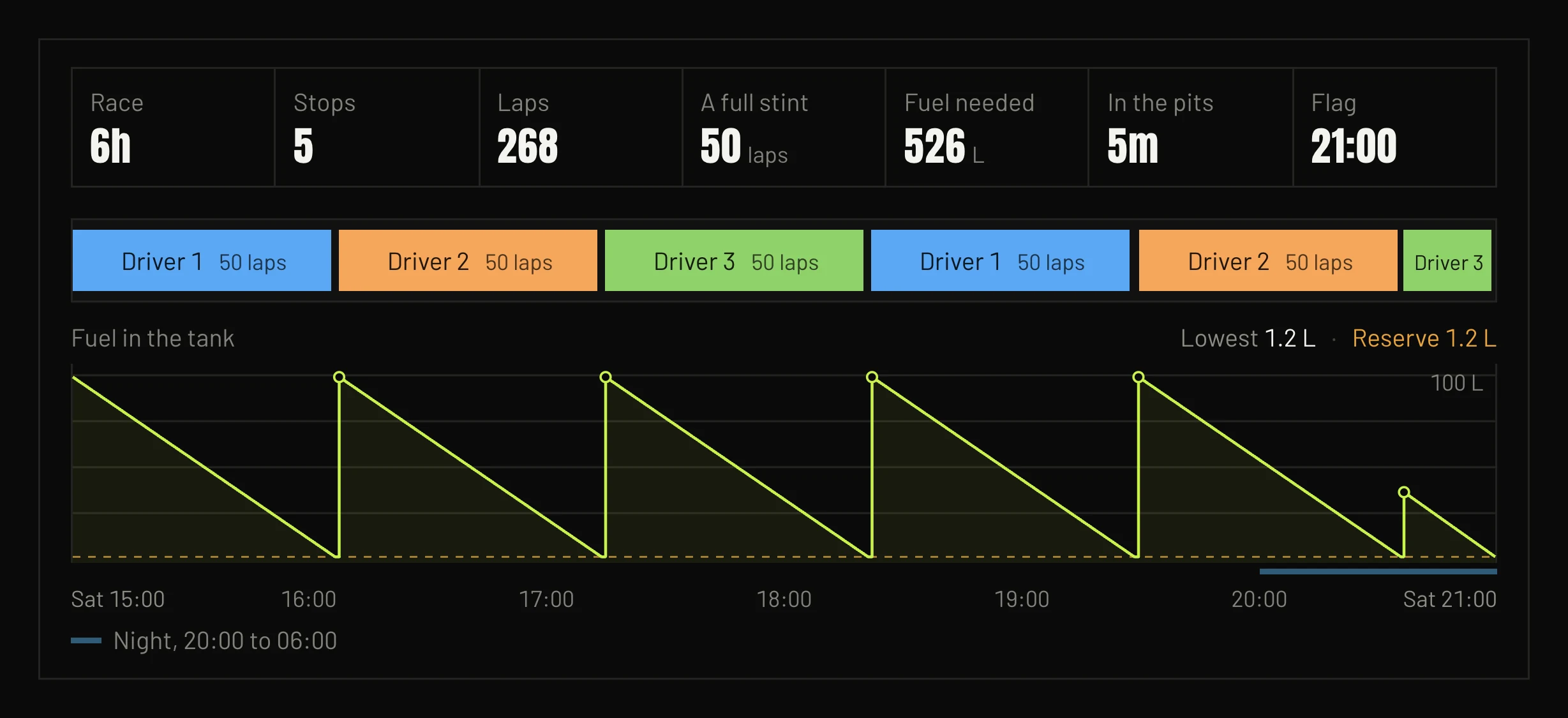
It uses your own laps. One press fills in the lap time, fuel burn and tank size for any car you've driven with Pitwall running.