iRacing overlays.
While you drive in iRacing you get your delta, fuel, the wind on your car and the whole field. Have it all in one box over the sim, as separate panels, or as the full pit wall on its own screen.
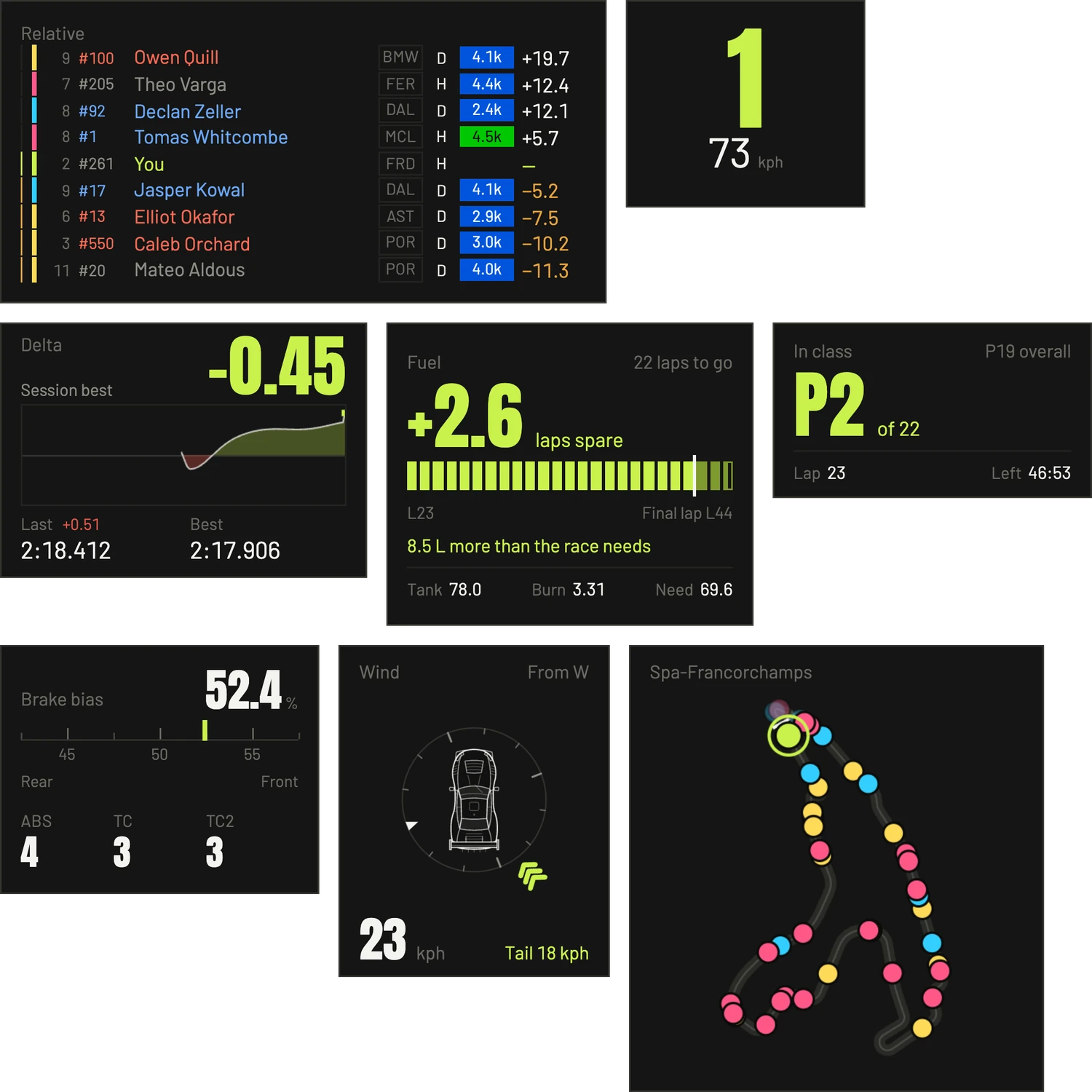
Over
the sim.
Pick your panels and put them in one box over the sim, or give each one its own window and put it wherever you like. You set it all up right on the box, then lock it and go racing.
- Delta to your session best, session optimal, all time best or last lap
- Fuel, Position, Gear and speed, Pedals
- Car: brake bias and whatever dials that car has
- Wind, Conditions, Wetness
- Track map, Relative, Standings, Radar, Traffic
iRacing needs to be in windowed or borderless mode for anything to show on top. Borderless doesn't cost you anything on a modern PC.
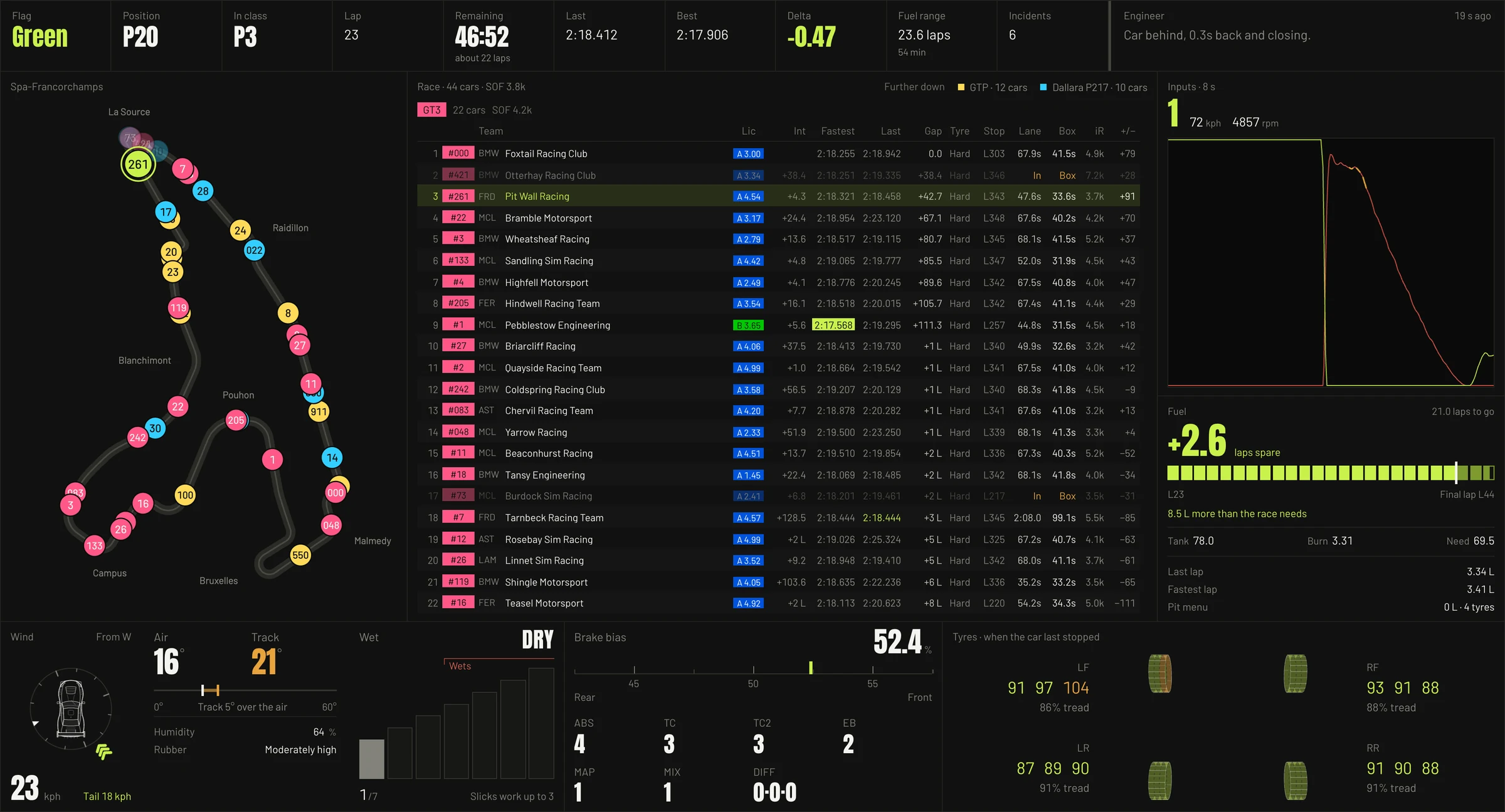
The pit wall
board.
Every tyre across the tread, the wind from the driver's seat, your inputs, fuel and the field, all on one screen. Stick it on a fourth screen above your triples, a second monitor or a tablet style screen.
- The strip: flag, position overall and in class, lap, time left, last and best lap, delta, fuel range, incidents and the engineer's latest call
- The map: the circuit with every car on it, coloured by class
- The field: the standings for every class, with lap times, gaps, stops, licences and iRating, and who's in the pits
- Inputs: your throttle and brake as a trace, with gear, speed and revs
- Conditions: the wind from the driver's seat, air and track temperature, humidity, rubber and how wet it is
- Tyres: inner, middle and outer from the last stop, with the tread left
- Fuel: the laps spare or short, what's in the tank, the burn and what you need to the flag
- On the wheel: brake bias and whatever dials that car has
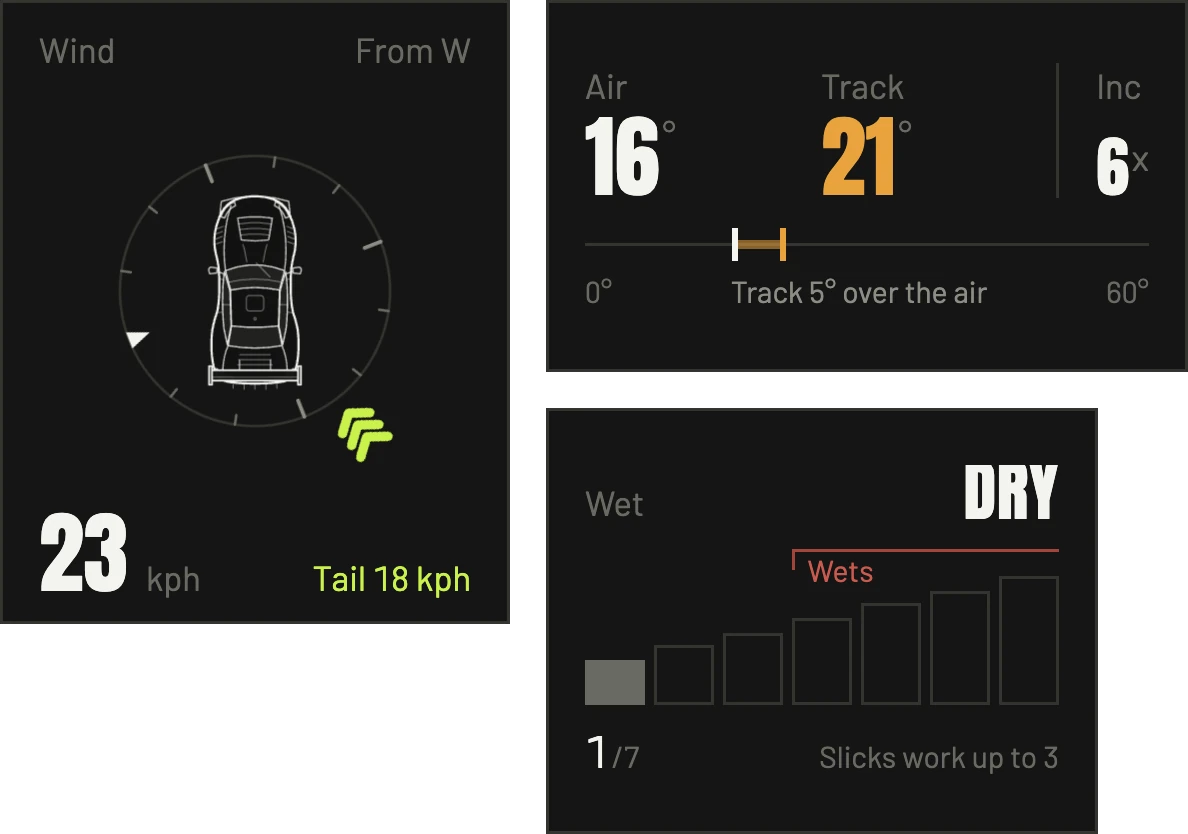
The wind
on your car.
Shows where the wind's hitting your car all the way round the lap, rather than just an arrow on a map. A headwind means more drag and downforce, so you can brake later. With a tailwind, brake earlier.
Red is on the nose, lime is behind, blue is across. You also get the speed and how much of it is head or tail.
Tyres at
every stop.
Inner, middle and outer temps on all four tyres, with the tread left on each. iRacing only sends tyre temps when you pit, so that's when they update. You see them after a stint, with the whole run in the rubber, and the engineer reads the spread with you for your camber.
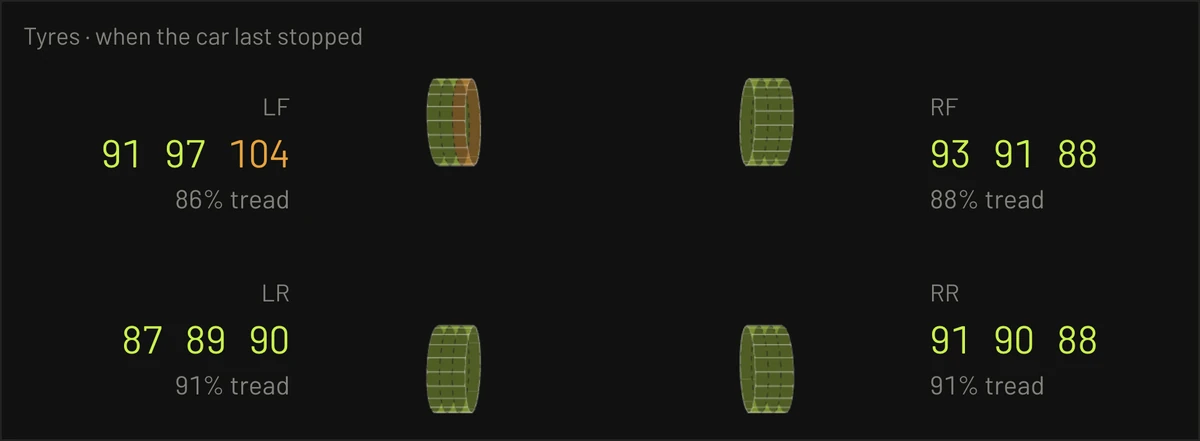
- BlueUnder 85°C: below the window, no grip yet
- Lime85 to 100°C: in the window
- Amber100 to 105°C: the top of it, so watch it
- Red105°C and over: over the window